

New
View all
Book of Ra
 Novomatic

Buffalo Coins
 Booongo

Ballonix
 Habanero
88 Bingo 88
 Belatra

Jackpot Limbo
Belatra

Bingo Soccer
Belatra

English Fast League Football Match
 Kiron
Kiron

English Fast League Football Single
Kiron

Euro Fast League Football Single
Kiron

Fa Fa Fa
 Tada Gaming

Golden Land
Tada Gaming

Irich Bingo
Tada Gaming
Recommended
View all
Thunder Coins
 Hacksaw

Avia Fly
 Playbro

Le Viking
 Ruby Play

Chick N Roll 2
 Veliplay

Deep Dive
Veliplay

Dronex 2
Veliplay

Divine Queen Heart Of Ice
 BGaming

Coin Volcano
Booongo

Lucky Dama Muerta
BGaming

Baccarat 2
 Rich88
Bingo
Rich88

Dragon Tiger
Rich88
Contents
- Basswin app: how the mobile casino works
- Key facts about the Basswin app
- What the Basswin mobile app actually is
- Main features of the Basswin app
- Technical requirements and performance
- How to download and install the Basswin APK on Android
- How to use Basswin on iOS
- Keeping the app current
- Registration, login and verification
- Languages and currencies
- Payments and withdrawals in the app
- Games in the Basswin app
- Sports betting in the Basswin app
- UX, notifications and navigation
- App vs mobile browser
- Security, licence and reputation
- Device-level security
- Troubleshooting: common issues and quick fixes
- Basswin app FAQ
Basswin app: how the mobile casino works
Basswin made an app so you can bet and play from your phone. Pretty straightforward - it's their casino and sportsbook in mobile form. We go over getting it on your device, what's inside, plus payment options, safety tips and responsible gaming.
Key facts about the Basswin app
- Platforms: Android APK + mobile website (with home-screen shortcut on iOS)
- Content: Online casino (slots, tables, live) + sportsbook
- Account: One login and shared wallet across desktop and mobile
- Payments: Cards, e-wallets, bank transfers and other methods depending on region
- Safety tools: Deposit and loss limits, session reminders, cool-off options and self-exclusion (where offered)
Details vary by country, but this gives a fair idea of what the mobile product is trying to be.
What the Basswin mobile app actually is
Basswin doesn’t reinvent itself on mobile. The app and mobile site follow the same structure as the desktop version, just trimmed down and adapted for touchscreens:
- Casino and Sports sections in one lobby
- A single balance for all products
- Access to promos, tournaments and loyalty rewards straight from your phone
- A full cashier section for deposits and withdrawals
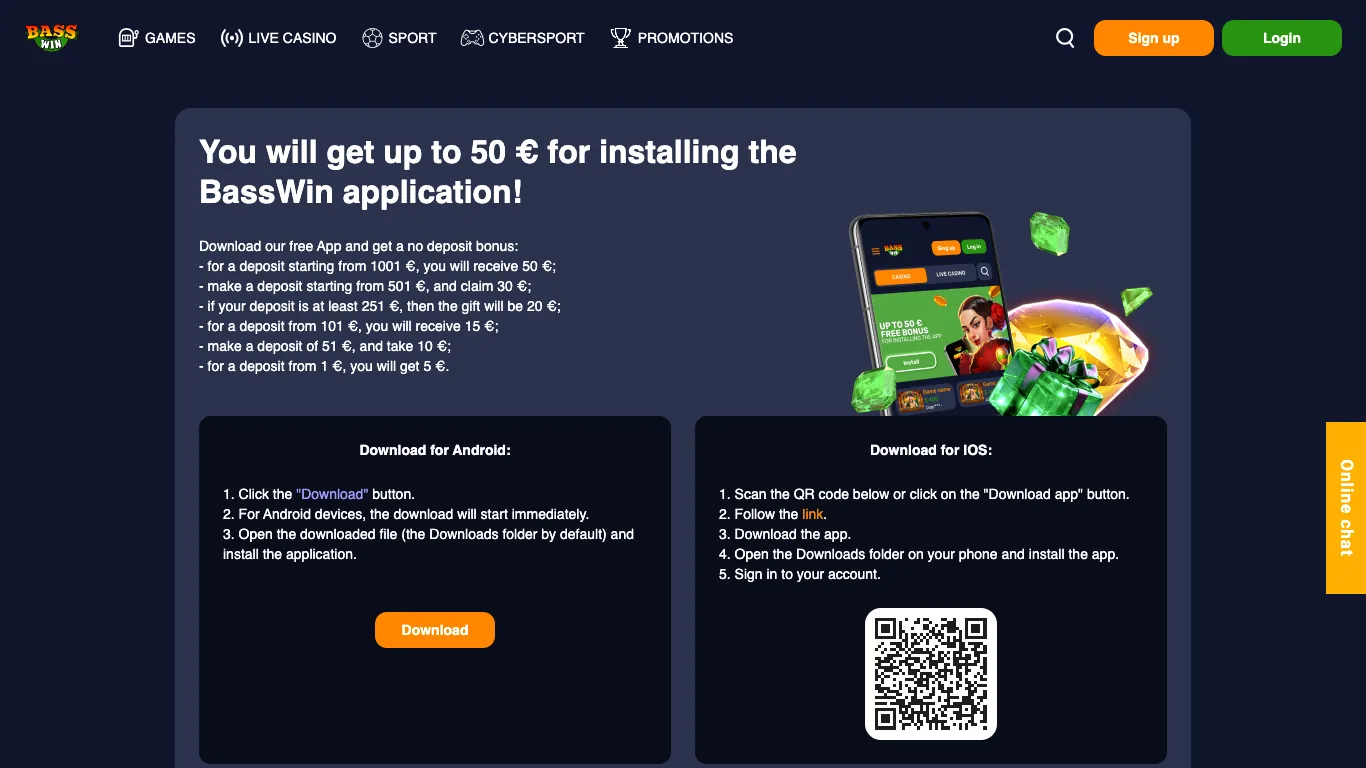
On Android the brand works through a standalone APK file downloaded from the official website.
On iOS the focus is on the mobile browser; you can also pin the site to your home screen so it behaves almost like a lightweight app.
Because conditions and domains can change, the only reliable source for current details is the official Basswin site.
Main features of the Basswin app
In a typical Basswin mobile build you get:
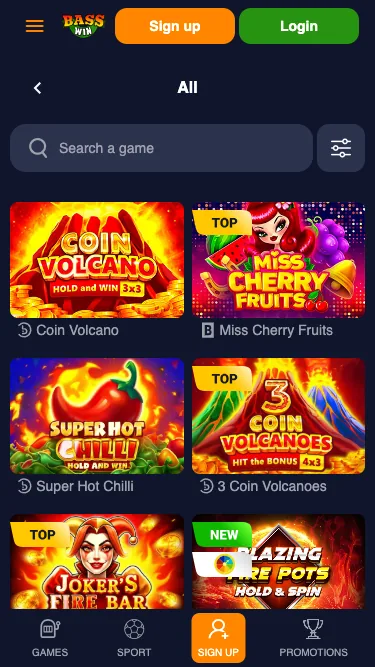
- Hundreds of mobile-ready slots, table games and live tables
- Pre-match and live sports betting
- Shared account and balance between desktop and mobile
- In-app access to bonuses and free spins
- Push notifications about offers and key account events (if you allow them)
- Live chat and email support available from the in-app menu
Navigation is kept simple so that most of what you need is never more than a couple of taps away.
Technical requirements and performance
Exact numbers depend on the current version, but in practice you need something along these lines.
Android
- A reasonably recent Android build (around 8.0 or newer)
- 2 GB of RAM or more if you don’t want the app to stutter
- Enough free storage for the APK plus game cache
iOS (iPhone / iPad)
- A current iOS version (roughly iOS 13 or later)
- An iPhone or iPad that runs Safari smoothly
In terms of how it behaves:
- HTML5 slots resize to fit the screen and can run in portrait or landscape mode.
- If the connection drops mid-spin, the round is usually completed on the game server; when you reconnect, your balance shows the final result.
- Live dealer tables and live betting need a half-decent Wi-Fi or stable 4G/5G connection to feel smooth.
How to download and install the Basswin APK on Android
Basswin isn’t distributed through Google Play, so everything revolves around the APK from the official site.
- Open the official Basswin site on your phone
Launch Chrome or another browser on Android and visit the official Basswin domain. Look for a section marked “App”, “Mobile” or similar with an Android button. - Download the APK file
Tap “Download for Android” / “Get APK”. Confirm that you want to save the file when the browser asks. - Allow installation from this source
If Android blocks the installation, go to Settings → Security / Install unknown apps and allow your browser (for example Chrome) to install applications. You can turn this off again once you’re done. - Install the app
Open the notification about the completed download or go to your Downloads folder, tap the APK and confirm the install. - Launch Basswin and log in
Find the Basswin icon in your app list, open it, and log in with your existing details or create a new account directly from the app.
As a safety rule, only download the APK from the official Basswin website, not from random mirrors or file archives.
How to use Basswin on iOS
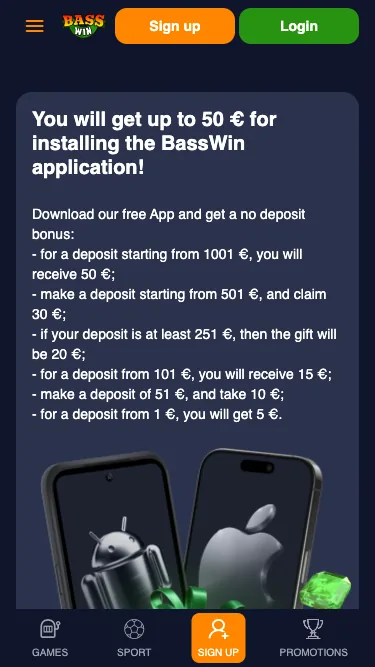
On iOS, Basswin is used through the mobile site rather than a “classic” App Store app.
Using the mobile website
- Open Safari on your iPhone or iPad.
- Type in the official Basswin URL and load the site.
- Sign in or register a new account.
- Open games from the lobby; they play full-screen in the browser.
Adding Basswin to your home screen
- With the Basswin site open in Safari, tap the Share icon.
- Choose Add to Home Screen.
- Adjust the name if you like and confirm.
- A Basswin icon appears on your home screen and opens the site in a dedicated window, very similar to an app.
Because this is just a shortcut, you don’t need to update the app manually – any changes on the website are visible the next time you open it.
Keeping the app current
Android users sometimes need to install newer APK files. Download from the official site, put it over your current install, delete old files.
On iOS it's a website shortcut. Problems? Clear cache in Safari or redo the icon.
Updated versions work better and crash less.
Registration, login and verification
Opening an account
From the app or mobile site:
- Tap Sign Up / Register
- Fill in your personal details (name, date of birth, address, email, phone number)
- Choose a strong password and a preferred account currency
- Confirm you’re of legal age and accept the terms
Logging in securely
- Use your login / email and password on the sign-in screen
- On Android you can often turn on fingerprint or face unlock after the first successful login
- If the device is shared, log out when you’re done
KYC (Know Your Customer)
At some stage you can expect a verification request:
- Go to Profile / Account → Verification / KYC
- Upload photos of your ID (passport, driving licence, etc.) and proof of address using your phone camera
- Wait for the account to be approved
Clearing KYC early usually makes later withdrawals much smoother, especially if you plan to play with larger stakes.
Languages and currencies
The languages and currencies you see are tied to your region, but a few general points apply:
- The interface can normally be switched to a language you’re comfortable with. This changes menus, labels and basic help text.
- During registration you pick an account currency. Deposits, withdrawals, bets and bonus amounts are then shown in that currency.
- Changing the main currency later is often restricted or blocked altogether, so it’s worth choosing carefully at the start.
Limits and minimum amounts displayed in the app use the currency of your account.
Payments and withdrawals in the app
From the Cashier / Banking section on mobile you’ll see essentially the same options as on desktop, for example:
- Bank cards
- Bank transfers
- E-wallets
- Prepaid vouchers
- In some versions, selected cryptocurrencies
Exact combinations depend on where you’re playing from. In broad terms:
- Minimum deposits often start somewhere around 10–20 units of your account currency
- Deposits are normally instant or close to instant
- KYC is expected before any serious withdrawal activity
- E-wallet withdrawals are usually the quickest, while cards and bank transfers can take several working days
Requesting a withdrawal in the app
- Open Cashier → Withdraw
- Choose a payment method (ideally the one you used for deposits)
- Enter an amount within the stated minimum and maximum limits
- Confirm the request
- Track its status in Transaction history
Always read the current payment terms in the app first: fees, daily or monthly limits, processing times and any special conditions.
Games in the Basswin app
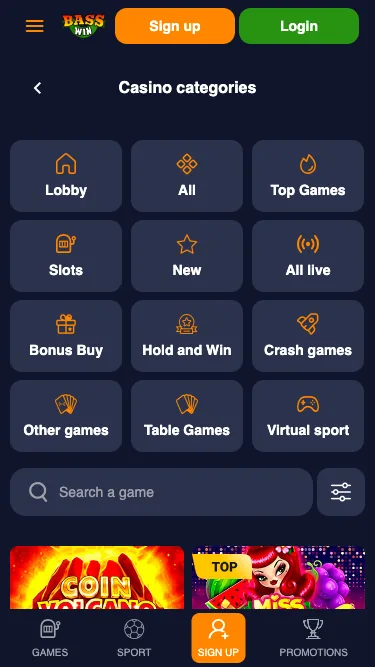
The game lobby on mobile mirrors the desktop catalogue:
- Slots – from simple three-reel classics to modern video slots, Megaways and branded titles
- Table games – roulette, blackjack, baccarat, poker variants and similar games
- Live casino – live roulette, blackjack, baccarat and game shows streamed from studios
- Other games – instant-win formats, crash-style games and other special titles where available
Everything is adapted for touch control. Interface elements are large enough for thumbs, and games typically provide their rules and RTP in an information panel.
Providers and mobile-friendly titles
Line-ups differ by region and over time, but a mobile lobby like Basswin’s is usually built around:
- Well-known international slot studios with large slot portfolios
- Providers focused on Megaways, high-volatility and bonus-buy mechanics
- Live casino studios with multi-camera streams and professional dealers
At the top of the lists you’ll often see:
- High-volatility slots with extended free-spin rounds
- Megaways games with dynamic ways-to-win
- Classic fruit machines for quick, simple spins
- Fast “instant” or crash-type games suited to short sessions on a phone
Sports betting in the Basswin app
On the sports side, the app generally offers:
- Pre-match markets on football, tennis, basketball and other sports
- Live betting with constantly updating odds
- Singles, accumulators and sometimes system bets
- Cash-out on selected markets, when the feature is switched on
Moving between Casino and Sports is straightforward. Play slots, watch a match, return to slots - all without signing out.
UX, notifications and navigation
The app is built around a handful of core screens:
- A bottom or side menu with Casino, Sports, Promotions, Cashier and Account
- A search bar to find specific games
- Filters by game type and provider
- Sections for Favourites and Recently played
Push notifications and personalised content
If you give the app permission to send notifications, you can expect:
- Alerts about new bonuses, tournaments and key account events (such as processed withdrawals)
- Personalised offer blocks on the home screen based on what you tend to play
- Optional reminders for major sports events or changes in live odds
All of this can be turned on or off either in the app’s own settings or at the device level.
App vs mobile browser
Both routes work. The choice is mostly about habits and comfort.
Using the app
- Faster access – you just tap the icon and you’re in
- Smoother scrolling and navigation
- Less browser “chrome” on screen, more space for games and odds
- Some resources cached locally, which can help with stability
Using the browser
- No installation or special permissions
- No storage used beyond normal browser cache
- Easy to keep several sites open in different tabs
- Good fit if you only play occasionally or hop between multiple brands
If you stick to a single Android phone, the APK is usually the more convenient option. If you bounce between devices or don’t like installing extra apps, the mobile website is enough.
Security, licence and reputation
From a technical standpoint Basswin uses the familiar toolkit – encrypted connections, password-protected accounts and standard casino-style security. The bigger question is regulatory strength and how consistently the brand treats players.
Open information about licensing and player experience is mixed, so a cautious approach is sensible:
- Always check the current licence details on Basswin’s own pages
- Start with small deposits and see how withdrawals are handled in practice
- Avoid keeping more money on balance than you’re genuinely comfortable losing
If you want the highest level of regulatory protection, focusing on operators with clear, verifiable national licences is usually the safer route.
Device-level security
A lot of security sits in your own hands:
- Lock your phone with a PIN, pattern, fingerprint or face unlock
- Don’t store your password in plain text notes or unprotected screenshots
- Try not to use open public Wi-Fi networks for real-money play
- If you lose your phone, change your Basswin password from another device and notify support immediately
- Keep your operating system and browser up to date
Basic device hygiene makes it much harder for someone else to wander into your account.
Troubleshooting: common issues and quick fixes
The app won’t open or keeps crashing
- Restart the device
- Clear the Basswin app’s cache and data in Android settings
- Download the latest APK from the official site and reinstall it
Games won’t load or freeze
- Check your connection and switch between Wi-Fi and mobile data
- Close other heavy apps running in the background
- If you’re using the browser, clear the cache and try again
Live casino or live betting feels laggy
- Pause streaming services and large downloads while you play
- Move closer to your router or into an area with better signal
Balance or transaction looks wrong
- Refresh the page or restart the app
- Check the Transaction history in the cashier
- If something still doesn’t add up, note the time, method and amount and contact support with those details
Basswin app FAQ
Is the Basswin app free to download and use?
Yes. Downloading the APK from the official site and using the mobile site on iOS are free. You only spend money once you deposit and start playing. Your mobile provider may charge for data.
Why can’t I install the APK or open the app?
Most likely causes: blocked unknown sources, corrupted file, or full storage. Enable browser installs, download fresh APK from the site and check if you have space.
Can I use the Basswin app on tablets and more than one device?
Usually you can. Same account on phone, tablet, whatever - just follow their policies and keep login info to yourself. Sometimes only one device can be active though.
What happens if a game round is interrupted?
Game rounds are normally settled on the server. When you reconnect and reopen the game, your balance should show the result. If something looks off, note the game, time and stake, and contact support.
Do I need separate accounts for app and website?
No. One Basswin account works everywhere: desktop site, mobile browser and Android app.
Can I claim bonuses and free spins via the app?
Yes. The mobile Promotions area usually mirrors the desktop offers. You can opt in, deposit and wager under the same rules.